
Statadventure Optimization Lab
Supply chain planning software for inventory, procurement and landed cost
Plan on your own data. The Lab picks a forecast method for each item, sets reorder points, suggests orders, finds tariff refunds and ranks every improvement in dollars.
Plans from $297 a month, users included. Already a customer? Sign in
What the Lab does
Each module works on the same data, and every screen below is the real Lab on its built-in sample data. Click a screen to see it full size.
Planner and Growth
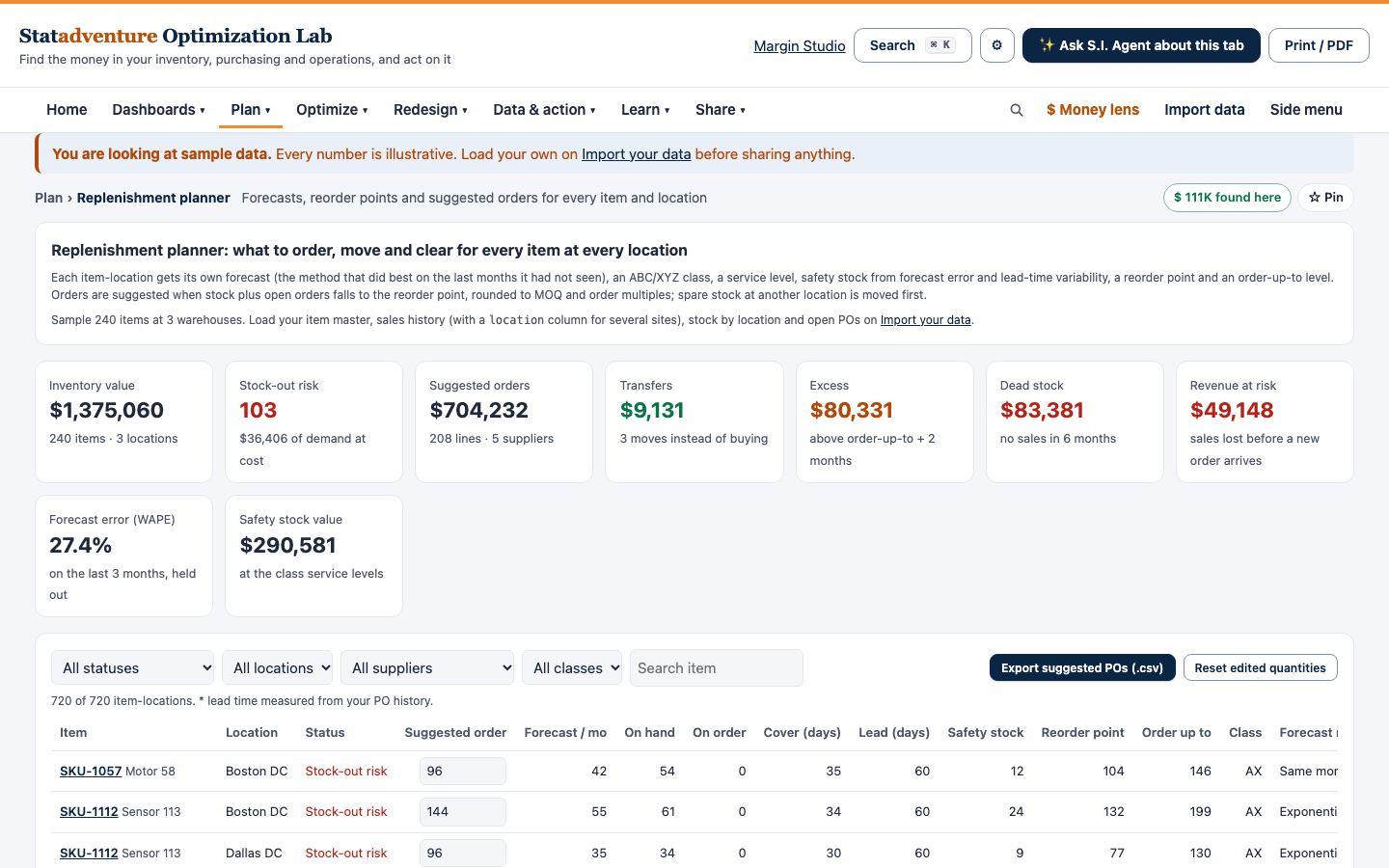
Replenishment planner
For every item at every location: the forecast method that predicts best, safety stock, reorder points, suggested orders and transfers between locations. Spare stock at another location is moved before anything new is bought.
- Inputs: Item master, sales history, stock by location and open purchase orders, from Excel, CSV or your ERP.
- Outputs: Suggested purchase orders ready to export to your ERP, stock-out risk, excess and dead stock, and revenue at risk, each with its reason.
- Decision it supports: What to order today, from whom and how much.
Planner and Growth
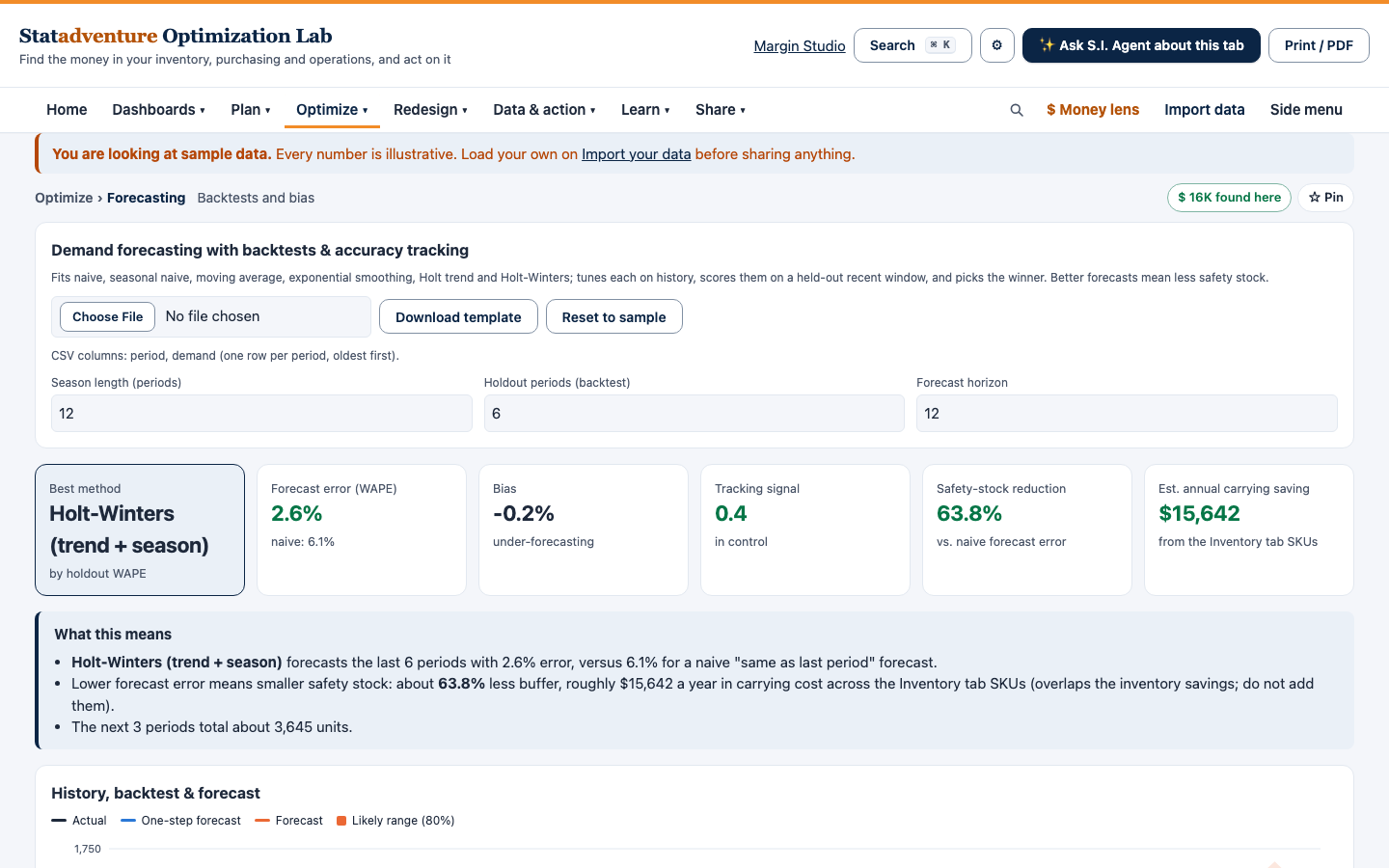
Demand forecasting
A forecast for each item, with the method chosen on held-out months and the error shown so you can judge it.
- Inputs: Monthly sales history by item, plus promotions, stock-outs, new items and phase-outs.
- Outputs: A cleansed history, a forecast by month, forecast error (WAPE) and the reason each method was chosen.
- Decision it supports: How much to plan, buy or produce for the coming months.
Planner and Growth
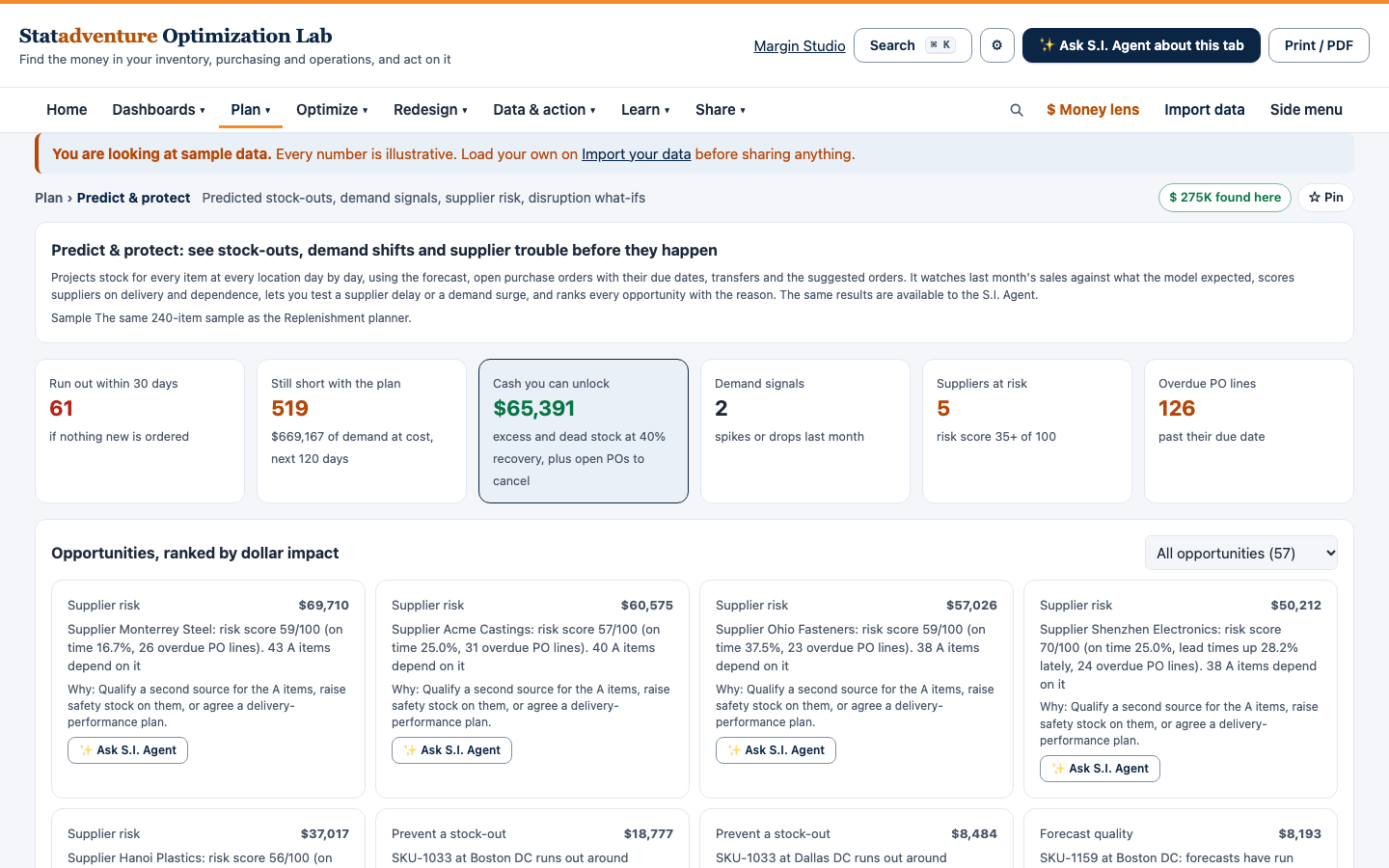
Predict and protect
A day-by-day look ahead for run-outs, demand shifts, slipping suppliers and cash tied up in stock.
- Inputs: The same data as the planner, plus purchase order history with promised and received dates.
- Outputs: A ranked list of opportunities, each saying what to do, why, and what it is worth in dollars.
- Decision it supports: What to expedite, cancel or rebalance this week.
Planner and Growth
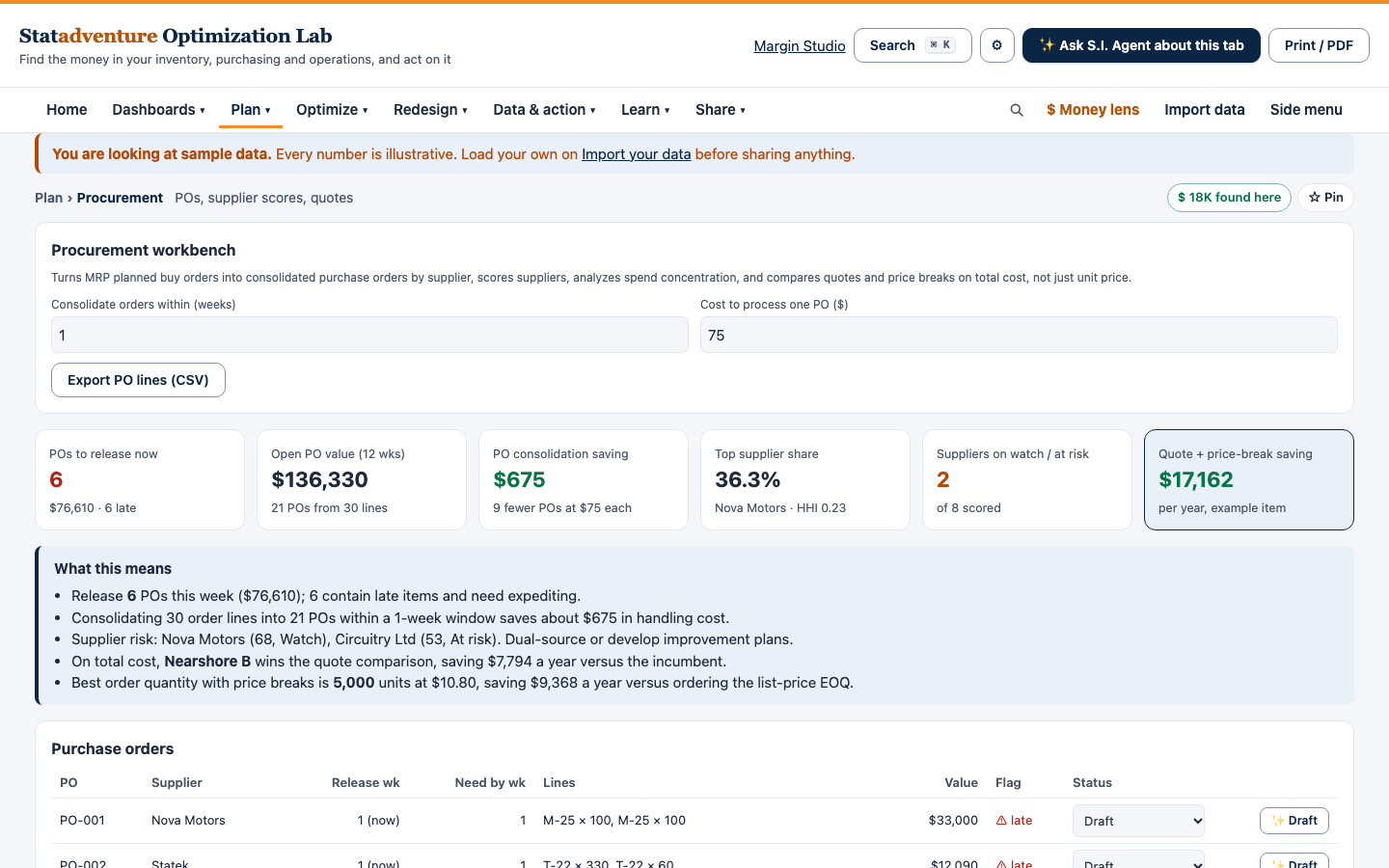
Procurement and supplier risk
Supplier lead times measured from your own purchase orders, slippage and risk by supplier, and orders that meet minimums and freight breaks.
- Inputs: Purchase order history with order, promised and received dates; supplier minimums and free-freight levels.
- Outputs: Actual lead times and slippage by supplier, risk scores, and orders that meet minimums and freight breaks.
- Decision it supports: Which suppliers to rely on, consolidate or back up.
Every plan
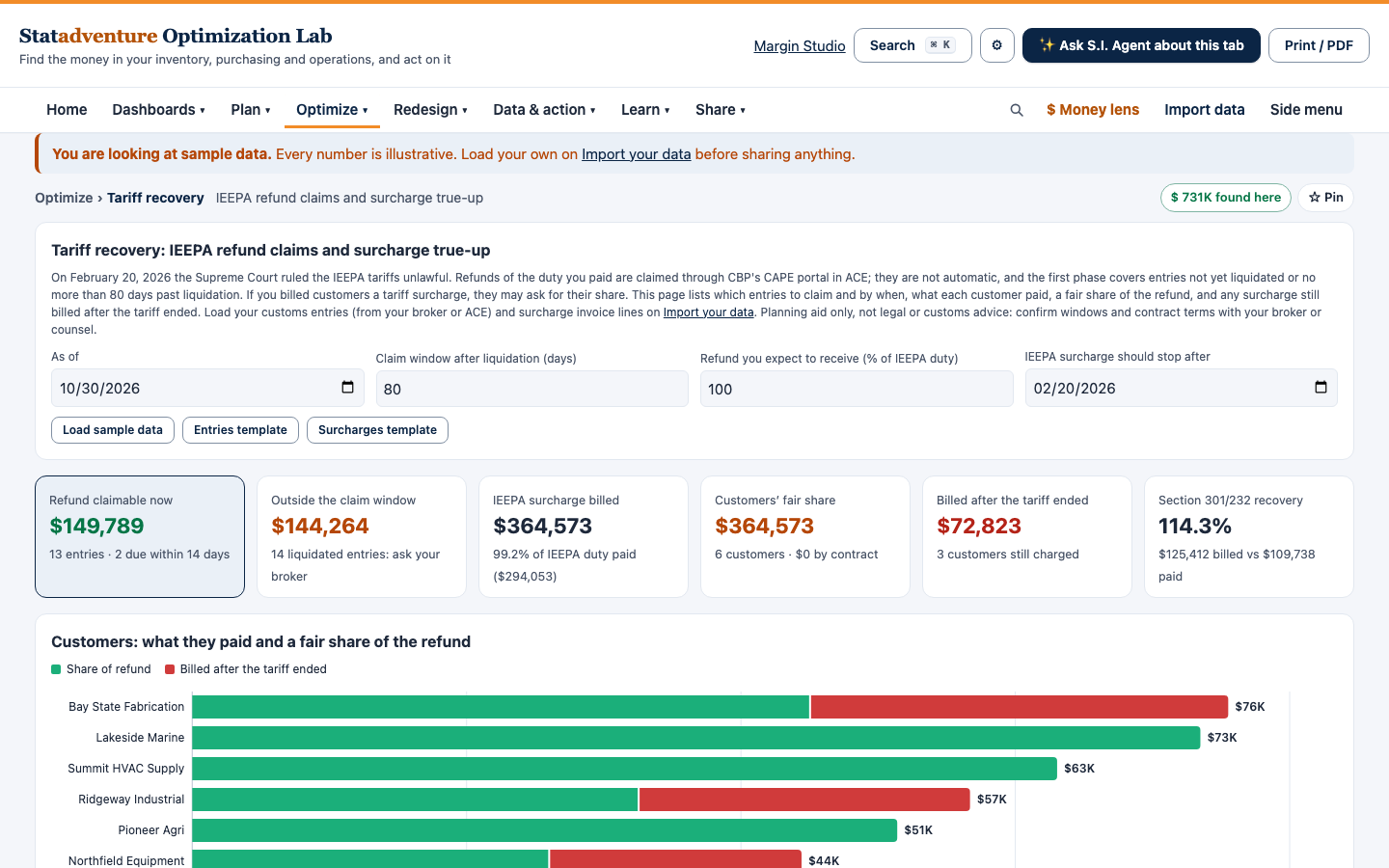
Tariff recovery and landed cost
IEEPA duty refund claims and supplier surcharge true-up, plus sourcing scenarios by supplier and country. A planning aid, not legal or customs advice.
- Inputs: Customs entries, supplier surcharges, and quotes by supplier and lane.
- Outputs: Refunds to claim with their deadlines, surcharges to recover, and the cost and risk of each sourcing plan.
- Decision it supports: Which refunds to file, and where to buy from when duties change.
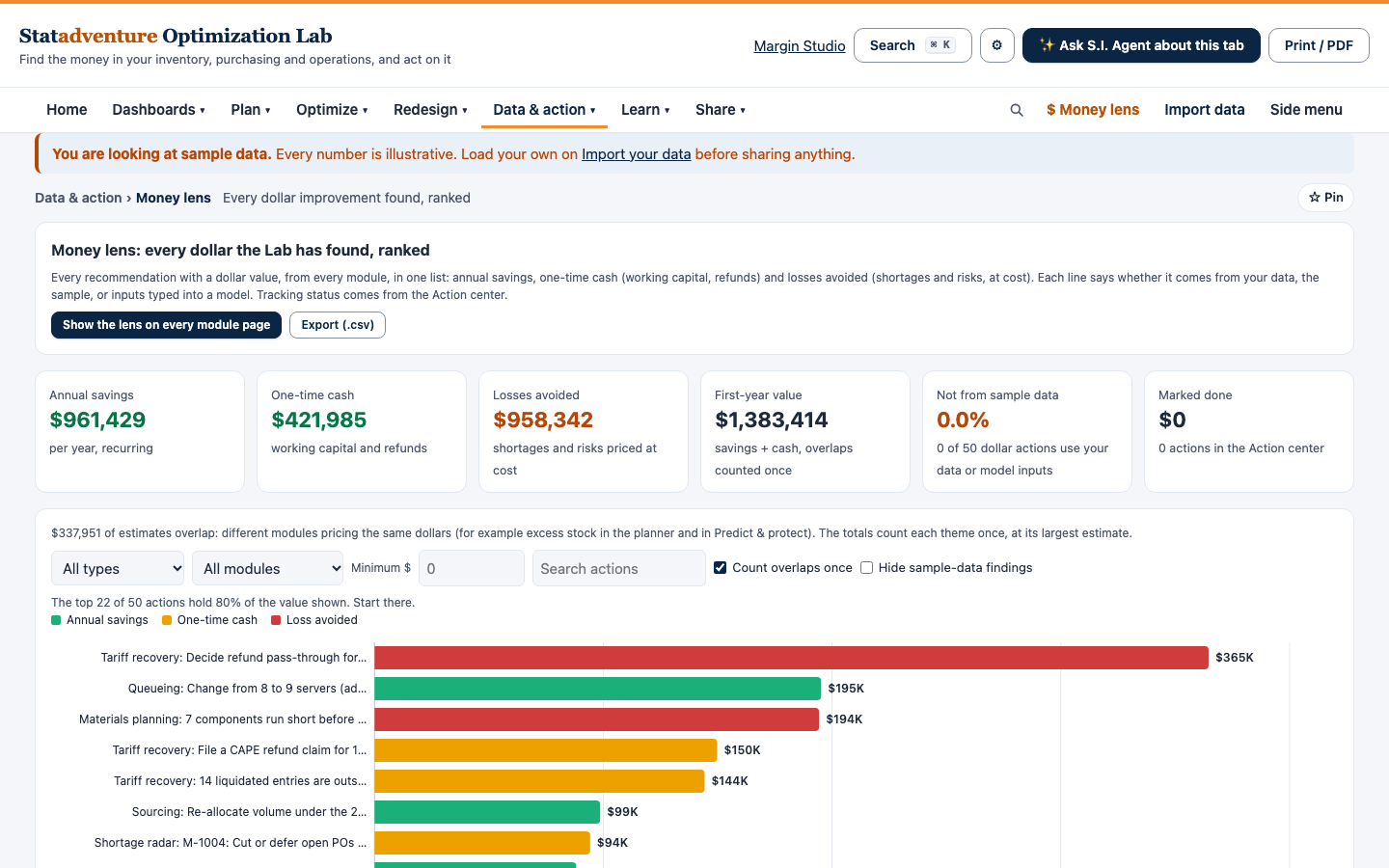
Planner and Growth
Money lens
Every recommendation from every module in one list, in dollars. Overlaps are counted once, and each line says whether it comes from your data or the sample.
- Inputs: The results of the other modules you use.
- Outputs: Annual savings, one-time cash released and losses avoided, ranked by dollar value.
- Decision it supports: Where to start, and what each action is worth.
Planner and Growth
Materials planning (MRP)
Your production plan exploded through your bills of materials, week by week, with shortages and clear-to-build.
- Inputs: Bills of materials, production schedule, item master and scheduled receipts.
- Outputs: Purchase requisitions, work orders, material shortages, clear-to-build, and which products each shortage blocks.
- Decision it supports: What to buy and build each week, and what is holding up a build.
Also in the Lab
- Dashboards for executives, supply chain, operations and finance (every plan)
- Shortage radar and inventory policy: order quantities and safety stock (every plan)
- Action center and client report (every plan)
- Sales, inventory and operations planning (SIOP)
- Simulation, network pooling, queueing and product mix
- Factory redesign
- S.I. Agent, the AI assistant, using your own AI provider’s key
Items not marked “every plan” are on Planner and Growth.
What AI does and does not do
What it is for
- Speeding up analysis of your own data
- Comparing scenarios side by side
- Explaining results in plain language
- Flagging unusual prices, demand or supplier patterns
What it does not do
- Replace your judgment or supplier relationships
- Predict tariff policy or disruptions
- Beat the quality of the data you provide
- Guarantee savings
How it works
Step 1
Load your data
Item master, sales history, stock by location and open purchase orders. Use the Excel or CSV templates, or connect your ERP, database or spreadsheets on Planner and Growth. Readiness checks show what is missing before you rely on a number.
Step 2
Get the plan
Each module builds its recommendations: orders and transfers, refunds to claim, suppliers to watch and stock to release, each with its reason.
Step 3
Act on the biggest money first
The Money lens ranks everything in dollars. Export suggested orders to your ERP, track actions in the action center, and share the client report.
Plans
One price per company, with users included. Pay monthly, or yearly and save 20%.
Basic
$297 a month
or $2,851.20 a year ($237.60 a month)
- 1 user and 1 workspace
- Tariff recovery, shortage radar and the core modules
- Import from Excel or CSV
- Last 10 versions of each workspace kept
Planner
$850 a month
or $8,160 a year ($680 a month)
- Up to 5 users and 5 shared workspaces
- Every module, including the replenishment planner and the Money lens
- Up to 5 live connections to your ERP, database or spreadsheets
- Up to 2,500 items and 3 locations
Growth
$1,947 a month
or $18,691.20 a year ($1,557.60 a month)
- Up to 15 users and 25 shared workspaces
- Every module, including the replenishment planner and the Money lens
- Up to 20 live connections to your ERP, database or spreadsheets
- Up to 15,000 items and 10 locations
Prices in US dollars. There is no free plan; the free calculators and Excel tools on this site stay free.
Your data
- Each company’s workspaces are stored on Statadventure’s server and are visible only to the people it invites, as owners, editors or viewers.
- Every save is kept as a version you can download or restore, and owners can export or delete workspaces at any time.
- Passwords for the systems you connect are stored encrypted.
- The AI assistant is optional. When you use it, a summary of the figures behind your question goes to the AI provider whose key you set up.
Free supply chain calculators
Try the math before you plan with it. Each calculator shows its inputs and assumptions.
Frequently asked questions
How is it different from spreadsheets?
Spreadsheets work one item at a time. The Lab works across your whole item list: it picks a forecast method for each item, sets reorder points, suggests orders and ranks every improvement in dollars. You can still export the results to Excel.
Is this an ERP or a procurement suite?
No. It works alongside the systems you already use. It reads from your ERP or spreadsheets and suggests orders and actions you can export back.
Which systems can it connect to?
Every plan can import Excel and CSV files. Planner and Growth can also keep live connections to your ERP, database or spreadsheets: up to 5 on Planner and 20 on Growth.
How much does it cost?
Basic is $297 a month for one user, Planner $850 a month for up to 5 users, and Growth $1,947 a month for up to 15 users. Yearly billing saves 20%. Compare the plans.
How do we get started?
Talk to us. We will show you the Lab, help you choose a plan and set up your company’s account.
Are the duty figures official?
No. They are planning estimates, not customs advice. We do not act as a customs broker, so confirm classifications and claims with your broker before relying on them.
See what the Lab finds in your data
Tell us about your items, locations and team, and we will suggest a plan.