
Supply chain planning software for manufacturers and distributors
Find the money in your inventory, purchasing and operations
The Statadventure Optimization Lab plans from your own data, from Excel, CSV or a live connection to your ERP. It tells you what to order, what to expedite and which tariff refunds to file, and ranks every improvement in dollars so your team works on the biggest money first.
The live demo needs no account. Plans from $297 a month, users included. Yearly billing saves 20%. Already a customer? Sign in
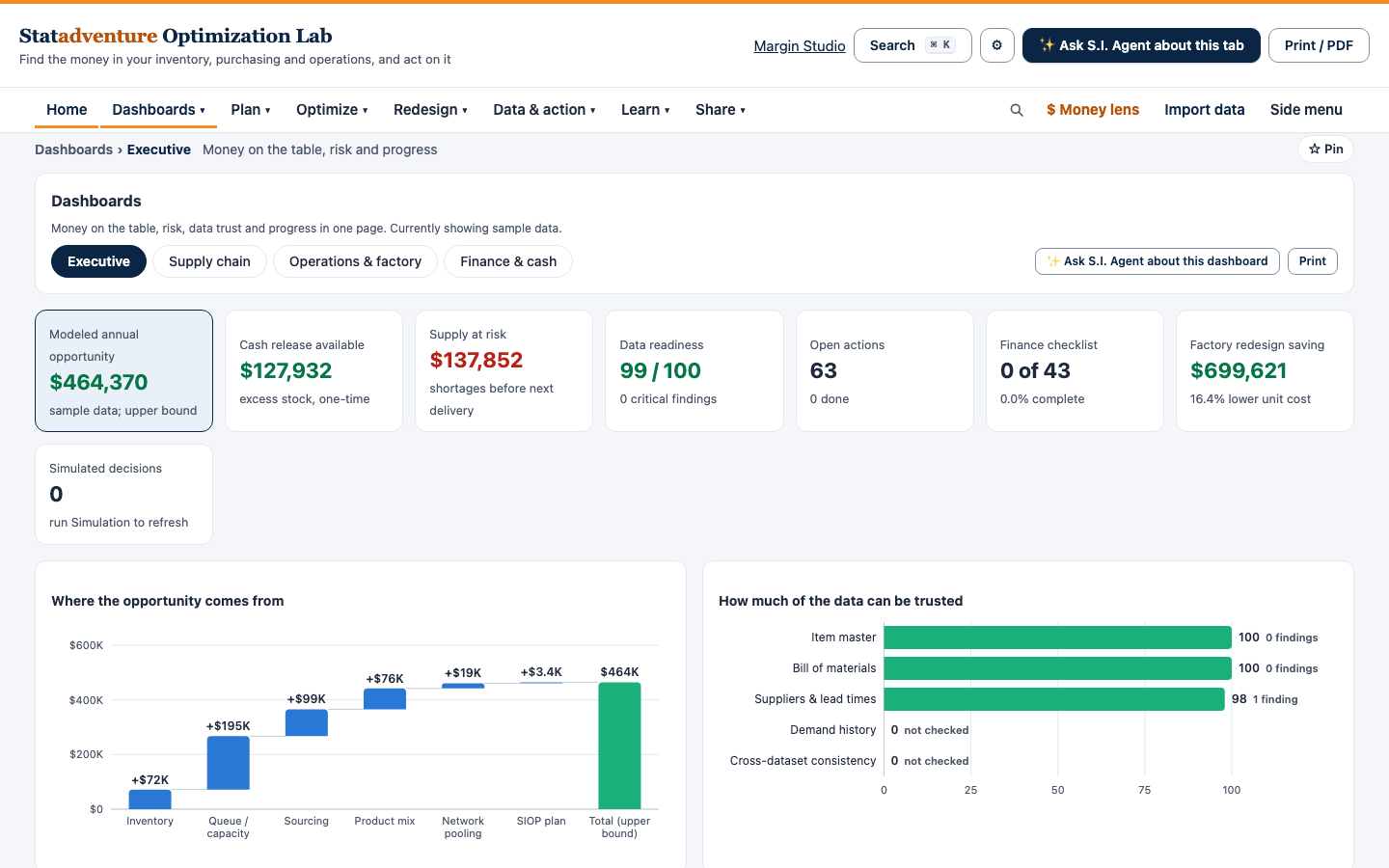
Your own data
Start from Excel or CSV templates with a data guide and readiness checks, or connect your ERP, database or spreadsheets.
Ranked in dollars
Annual savings, one-time cash released and losses avoided, from every module, in one list.
Reasons shown
Every suggestion comes with its reason, and every forecast with its error, so your team can check it.
One price per company
Users are included in each plan. Pay monthly, or yearly and save 20%.
See the Lab
Real screens from the Lab, shown on its built-in sample data. Click a screen to see it full size.
Rather click around yourself? Try the live demo: the real Lab on the sample company, with a guided tour. No account needed.
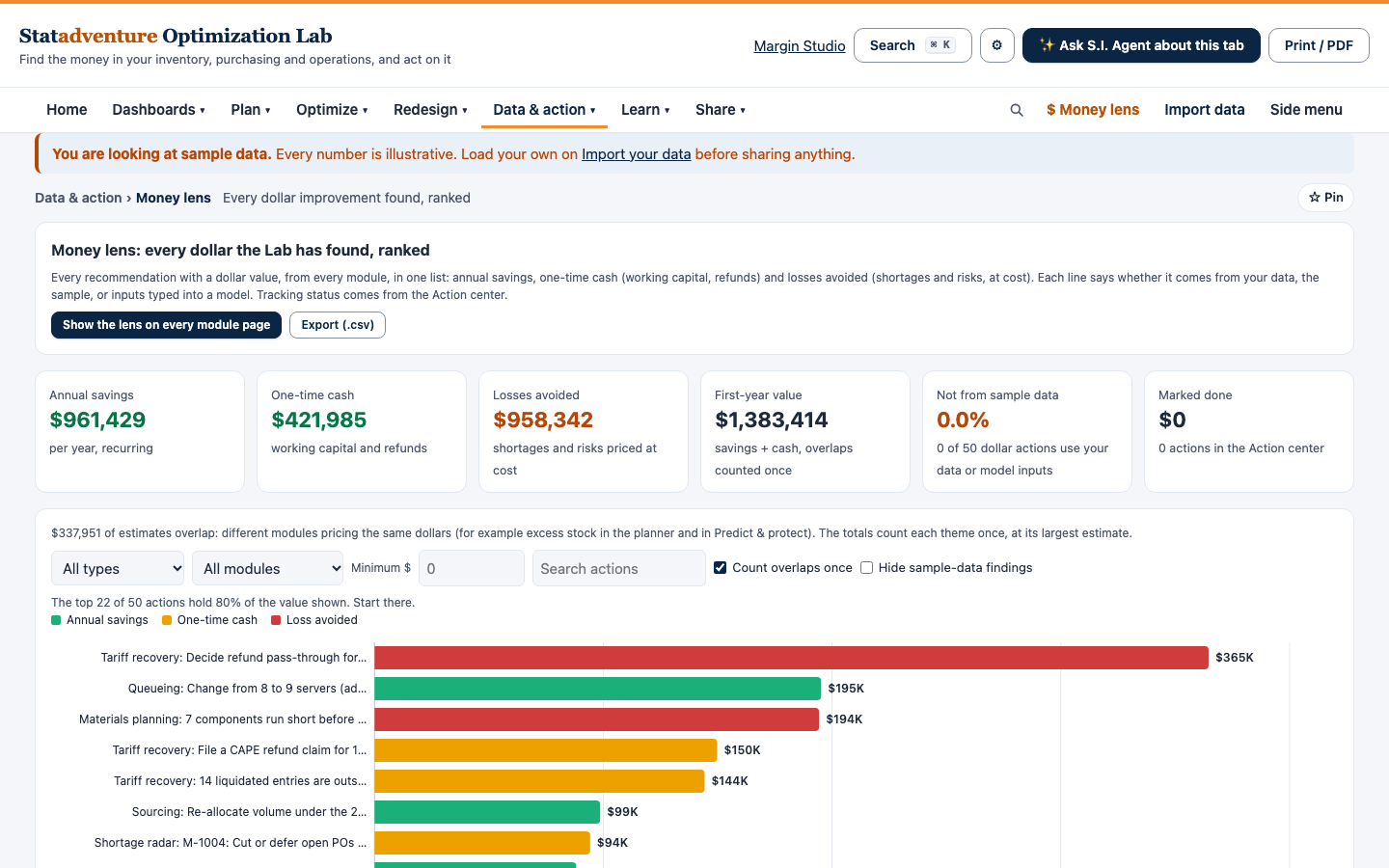
Money lens
Every improvement from every module, ranked in dollars, with overlaps counted once.
Planner and Growth
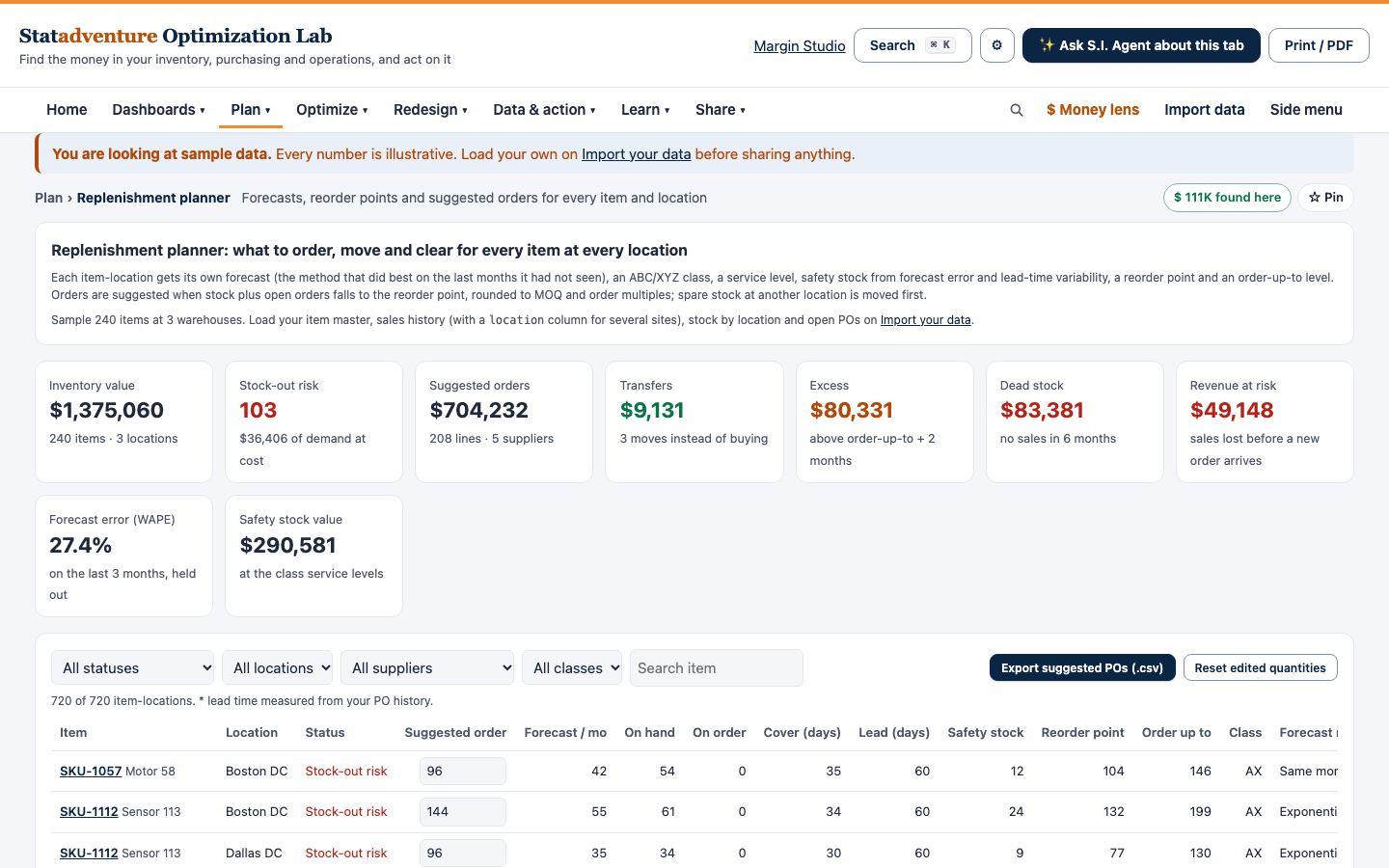
Replenishment planner
Suggested orders, reorder points and safety stock for every item at every location.
Planner and Growth
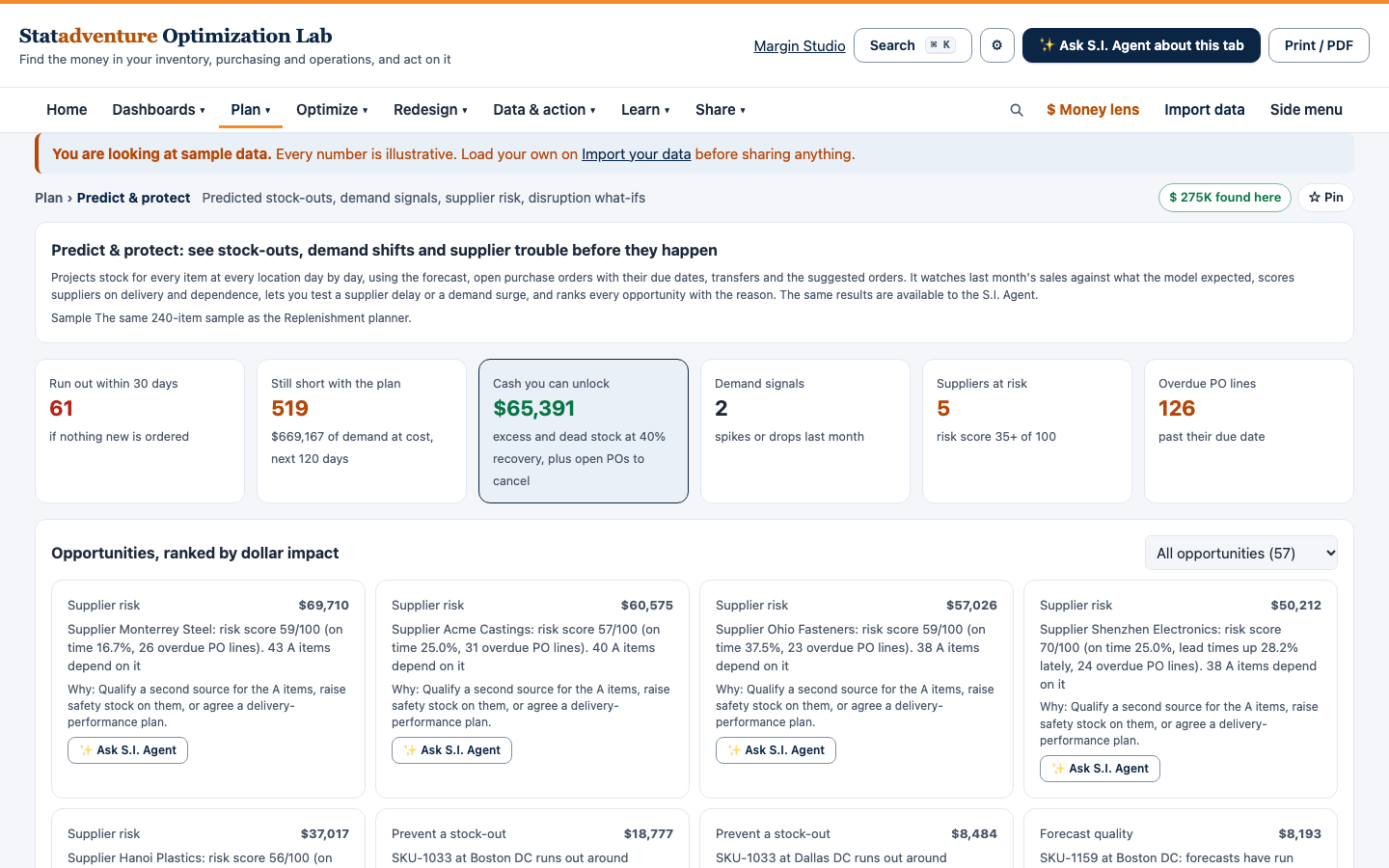
Predict and protect
Run-outs, slipping suppliers and cash to unlock, ranked by dollar impact.
Planner and Growth
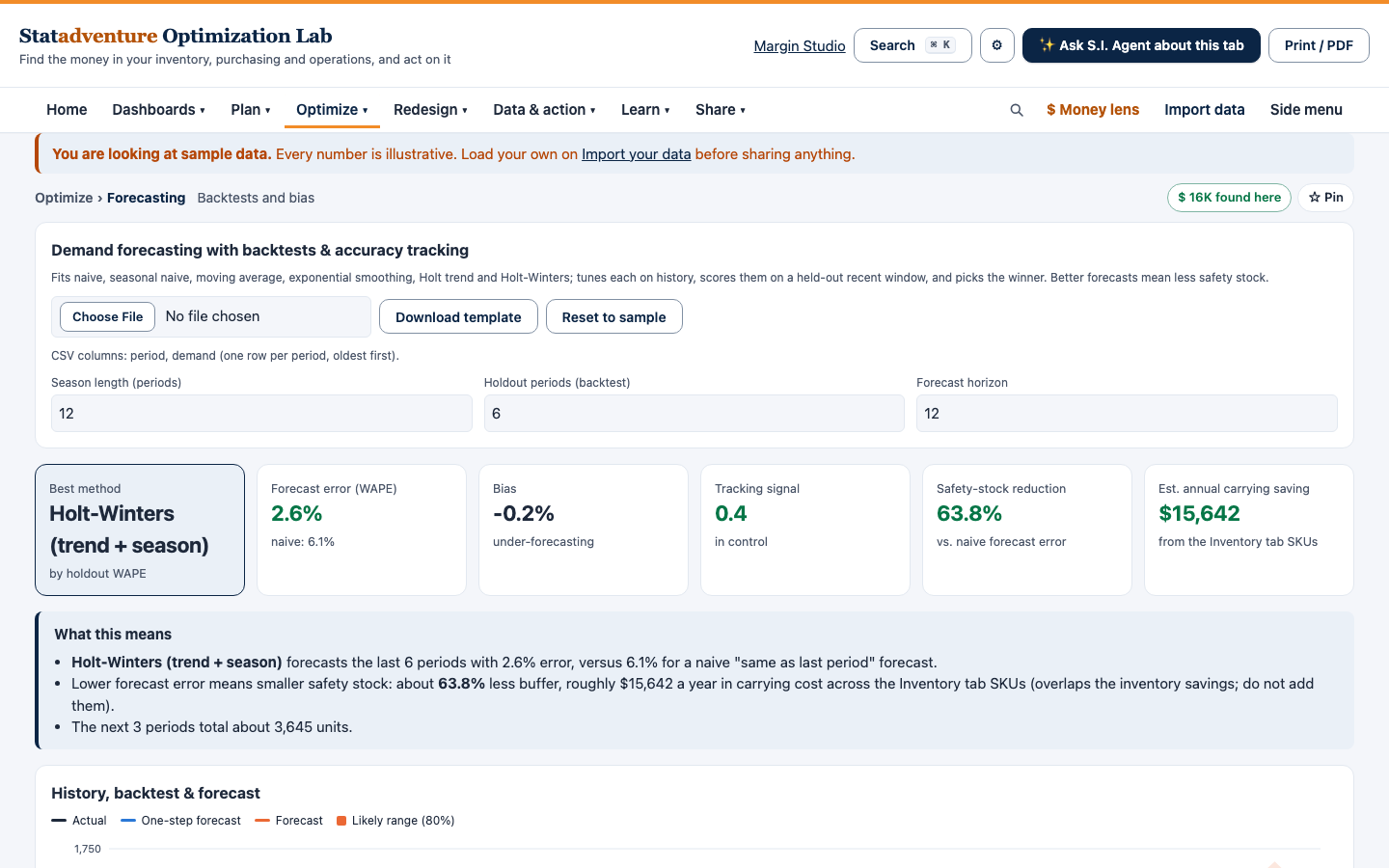
Demand forecasting
The forecast method chosen on held-out months, with its error shown.
Planner and Growth
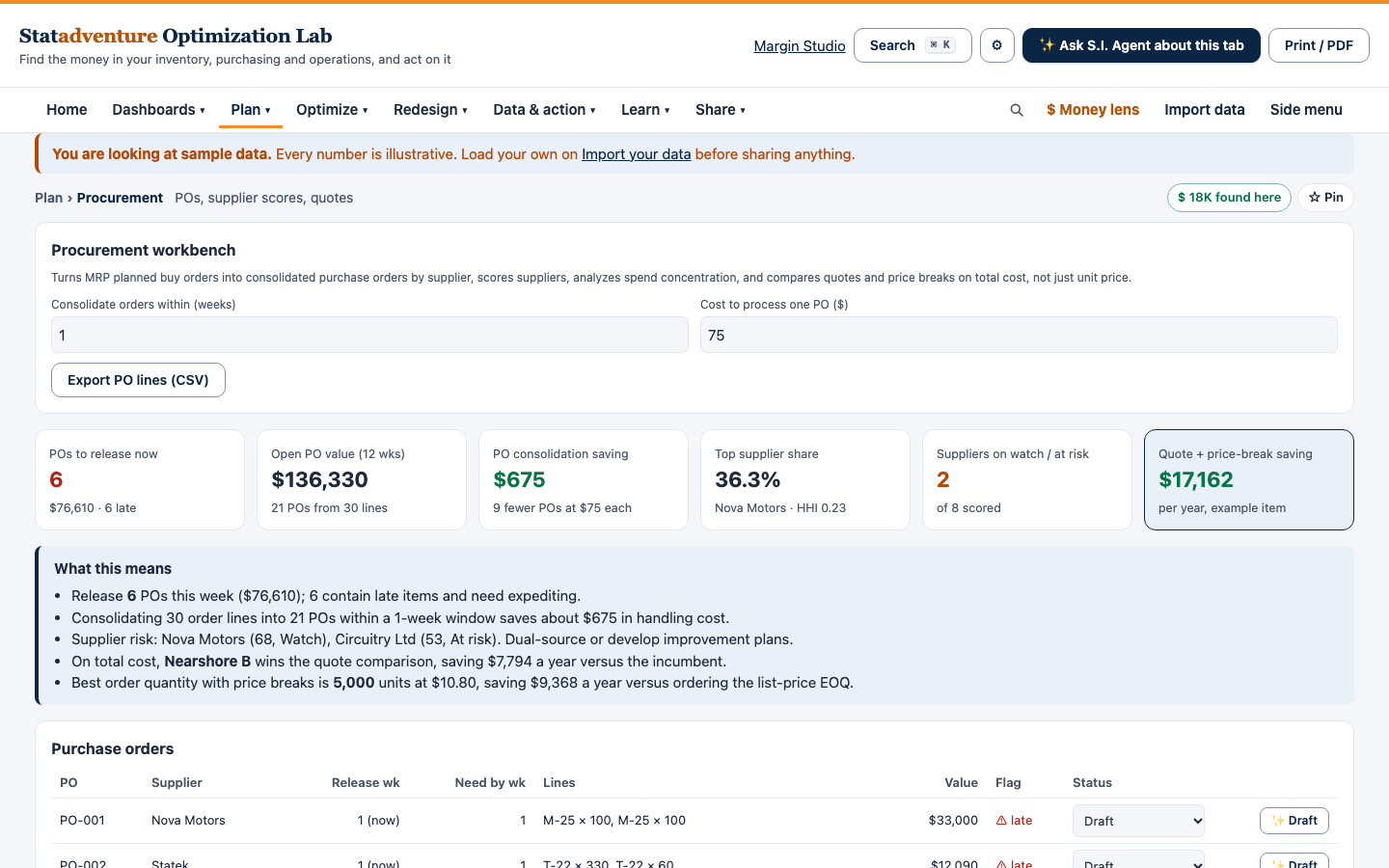
Procurement
Purchase orders to release, supplier scores, and quotes compared on total cost.
Planner and Growth
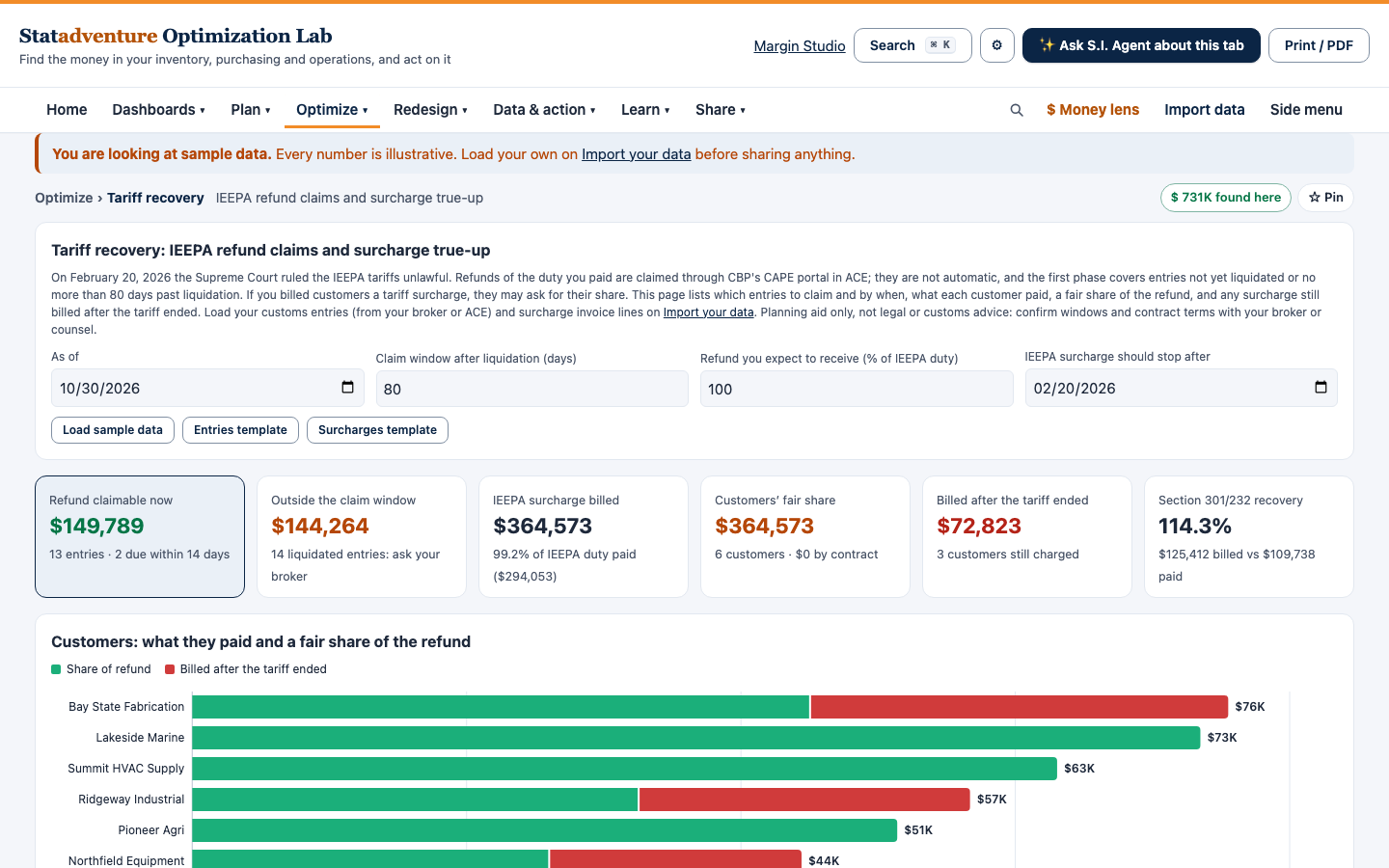
Tariff recovery
IEEPA refunds to claim and by when, and a fair share for each customer.
Every plan
Also in the Lab: materials planning (MRP) and SIOP, the shortage radar, inventory policy, simulation, factory redesign, the action center and the S.I. Agent AI assistant. Take the full tour of the Lab.
How it works
Step 1
Load your data
Item master, sales history, stock by location and open purchase orders. Use the Excel or CSV templates, or connect your ERP, database or spreadsheets on Planner and Growth. Readiness checks show what is missing before you rely on a number.
Step 2
Get the plan
Each module builds its recommendations: orders and transfers, refunds to claim, suppliers to watch and stock to release, each with its reason.
Step 3
Act on the biggest money first
The Money lens ranks everything in dollars. Export suggested orders to your ERP, track actions in the action center, and share the client report.
Plans
One price per company, with users included. Pay monthly, or yearly and save 20%.
Basic
$297 a month
or $2,851.20 a year ($237.60 a month)
- 1 user and 1 workspace
- Tariff recovery, shortage radar and the core modules
- Import from Excel or CSV
- Last 10 versions of each workspace kept
Planner
$850 a month
or $8,160 a year ($680 a month)
- Up to 5 users and 5 shared workspaces
- Every module, including the replenishment planner and the Money lens
- Up to 5 live connections to your ERP, database or spreadsheets
- Up to 2,500 items and 3 locations
Growth
$1,947 a month
or $18,691.20 a year ($1,557.60 a month)
- Up to 15 users and 25 shared workspaces
- Every module, including the replenishment planner and the Money lens
- Up to 20 live connections to your ERP, database or spreadsheets
- Up to 15,000 items and 10 locations
Prices in US dollars, paid by card through Stripe. Switch plans or cancel at any time. There is no free plan; the free calculators and Excel tools on this site stay free.
Your data stays yours
- Each company’s workspaces are visible only to the people it invites, as owners, editors or viewers.
- Every save is kept as a version you can download or restore.
- Passwords for the systems you connect are stored encrypted.
- The Lab is not an ERP. It works alongside the systems you already use, and your ERP stays the system of record.
Free calculators
Reorder point, safety stock, EOQ, landed cost, tariff cost and more. Each one shows its inputs and assumptions.
Want help putting AI to work?
Statadventure also builds AI into manufacturers’ and distributors’ supply chains from the ground up: the data foundation, forecasting, inventory and purchasing optimization, analytics and AI agents.
Questions
What is the Statadventure Optimization Lab?
Supply chain planning software for inventory, procurement and landed cost decisions. It works on your own data and ranks every improvement in dollars, so you can see what each decision is worth before you make it.
Who is it for?
Manufacturers and distributors that plan from spreadsheets or a light ERP or MRP and want clear, ranked decisions without a large software project. Planner covers up to 2,500 items and 3 locations, and Growth up to 15,000 items and 10 locations.
What data do I need?
An item master, sales history, stock on hand and open purchase orders cover most of the Lab. Bills of materials, customs entries, purchase order history and supplier quotes unlock more. The data guide lists every field, and the readiness checks show what is missing.
Does it replace our ERP?
No. It reads from your ERP or spreadsheets and suggests orders and actions you can export back. Your ERP stays the system of record.
How do we get started?
Talk to us. We will show you the Lab, help you choose a plan and set up your company’s account.
Does it use AI?
Forecasts use statistical methods, each chosen by testing it on months it had not seen. The optional S.I. Agent assistant explains results in plain language using your own AI provider’s key. The Lab does not predict tariff policy or guarantee savings.
Is the tariff recovery legal or customs advice?
No. It is a planning aid. Confirm claim windows, classifications and contract terms with your customs broker or counsel.
See what the Lab finds in your data
Tell us about your items, locations and team, and we will suggest a plan.